

BazaarHub Tracker
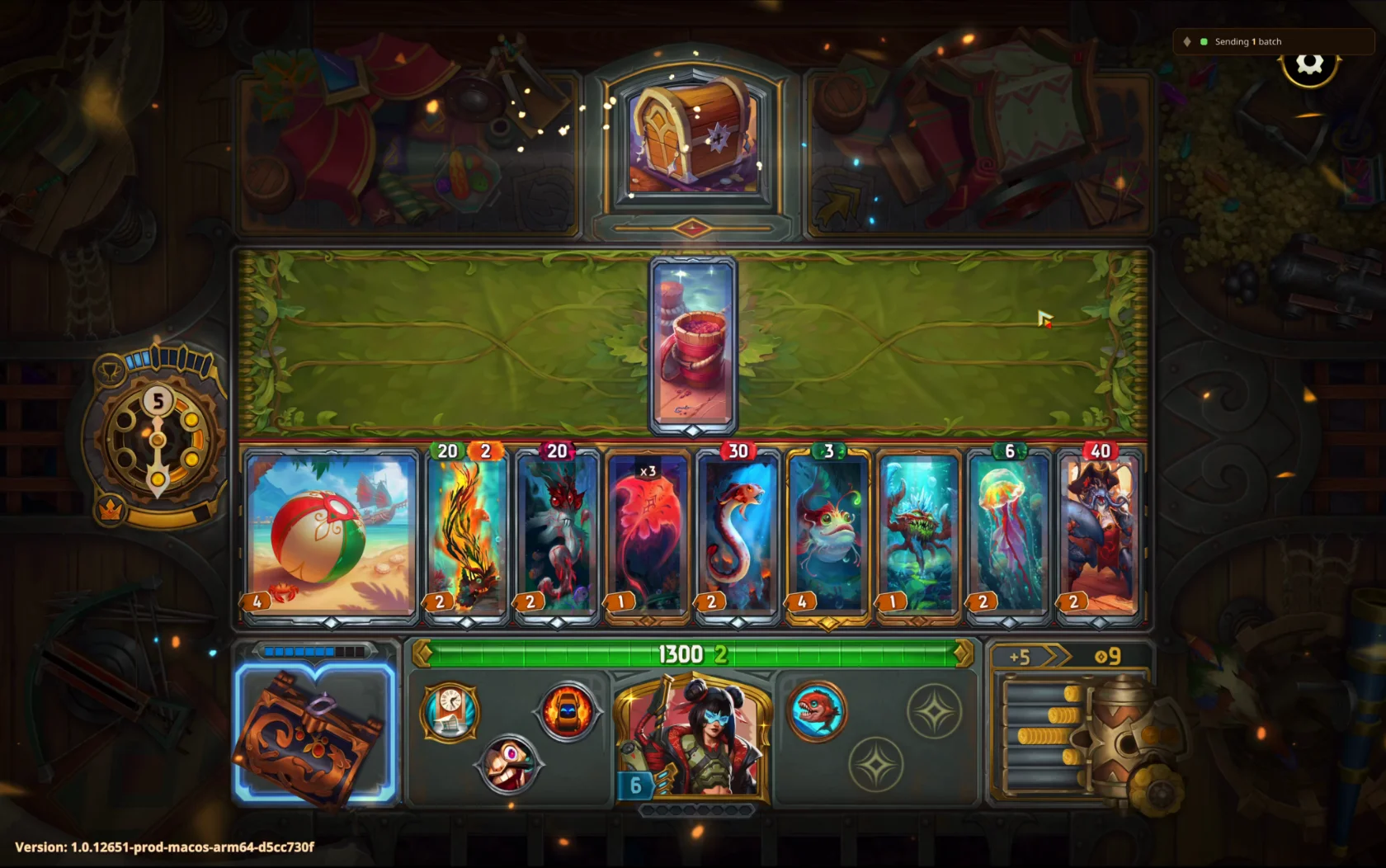
Records your runs of The Bazaar while you play and puts them on your BazaarHub profile, every hour of every run. Free, with no ads.
Set up on a Mac
Install the tracker
Open the disk image and drag BazaarHub Tracker into Applications, then open it. macOS checks it three times, because the tracker isn't notarised with Apple yet:
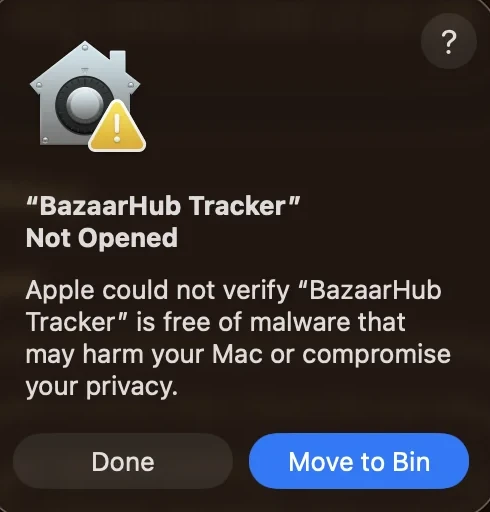
Press Done, not Move to Bin. 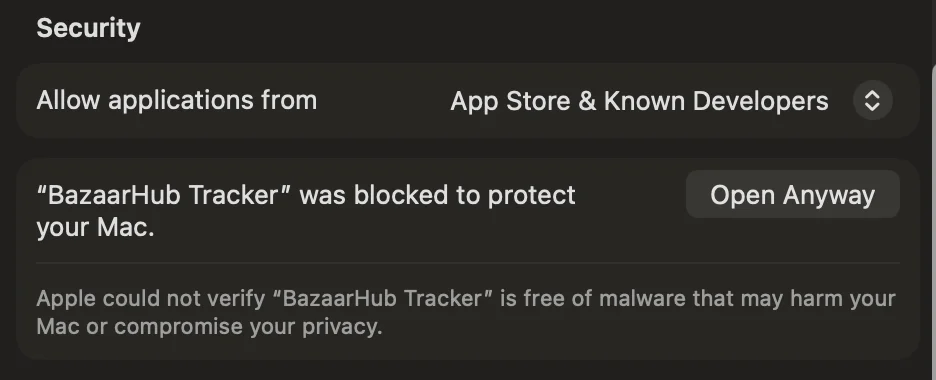
In System Settings, Privacy and Security, scroll to Security and press Open Anyway. 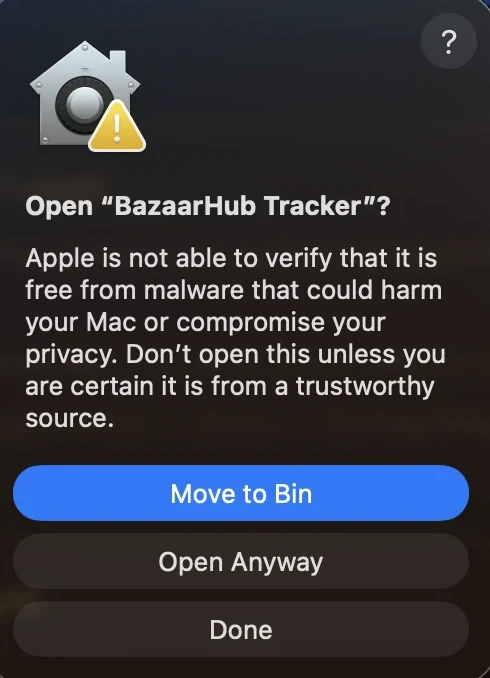
Press Open Anyway again and use your password or Touch ID. Connect your account
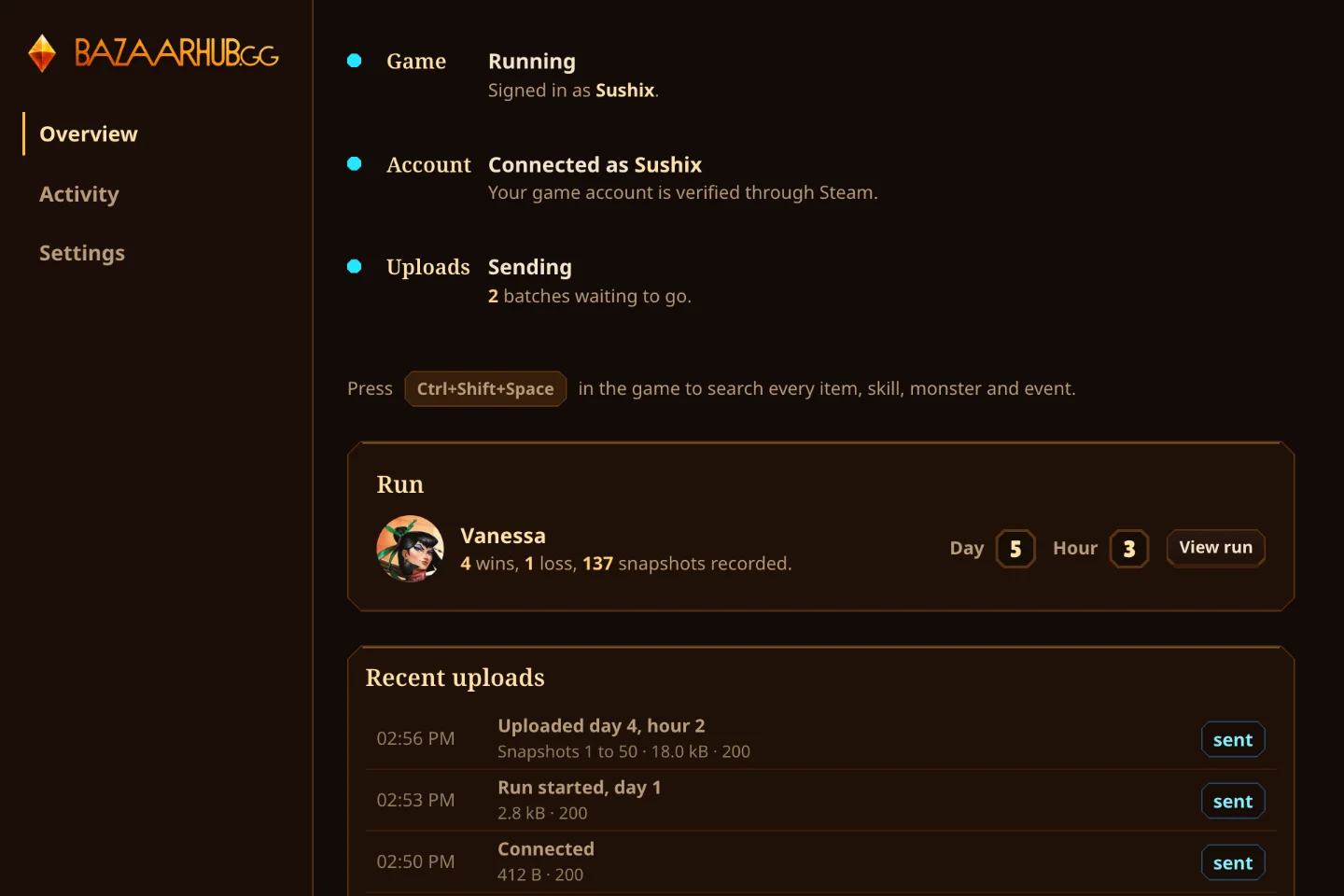
Make a key here and press Open in the tracker. It fills the key in and shows your account name to confirm.
Play a run
Start the game from Steam. The first time, macOS asks once to let BazaarHub Tracker read it. Approve it, and the Game row turns teal. Until then it says Waiting for permission.
On a Mac account without admin rights, macOS asks for an administrator's password again every 10 hours.
